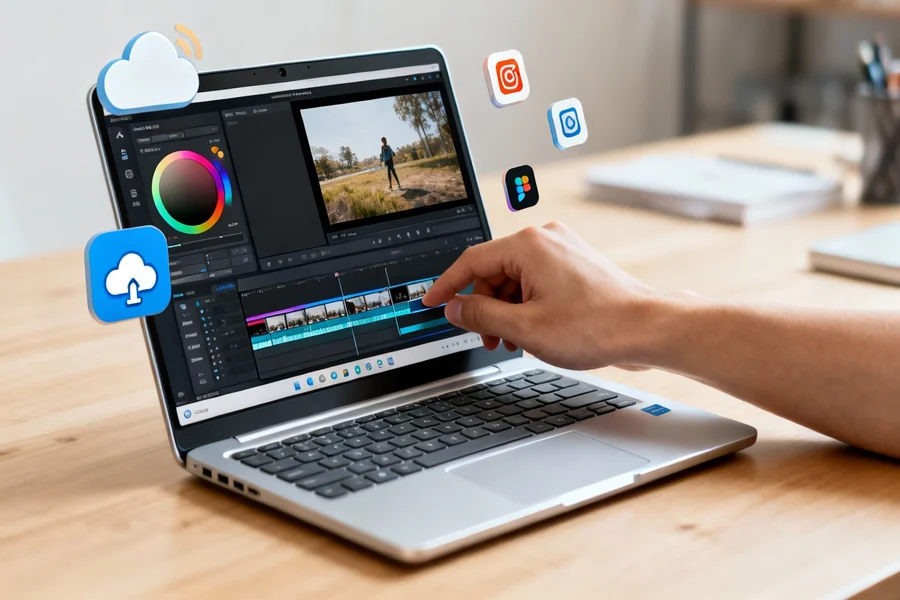
This article is for content creators, marketers, and small business teams who need to produce polished videos together without juggling subscriptions to separate stock libraries, music platforms, and editing tools. If you’re trying to figure out which collaborative video editing platform will give your team everything in one place, the options can feel overwhelming. By the end of this guide, you’ll have a clear set of evaluation criteria and a strong sense of which tool type fits your workflow, your team size, and your content goals.
Why Built-In Stock Libraries and Collaboration Matter More Than You Think
Most people start evaluating video tools by asking, “What can it do?” But the smarter question is: “What does my team have to do separately before and after using it?” When a tool forces you to download assets from one platform, upload them to another, and then share export files through email or a cloud drive for feedback, you’re not saving time. You’re just moving friction around.
The tools worth considering in 2026 are the ones that collapse the production pipeline into a single environment. That means editing, access to licensed assets, and real-time collaboration should all live in the same interface. If any one of those three is missing, your team will eventually build workarounds, and workarounds become bottlenecks.
There’s also a legal dimension that often gets overlooked: not every free stock image or song you find online is actually free to use commercially. A platform with a built-in, rights-cleared library removes the burden of verifying licensing for each asset individually, which matters especially when content is being produced by multiple people at speed.
The Core Categories of Collaborative Video Editing Tools
Before diving into evaluation criteria, it helps to understand that collaborative video editing tools generally fall into three broad categories.
The first is the lightweight, browser-based all-in-one editor. These are built for non-professionals who need to create video content quickly, often for social media. They tend to include large template libraries, built-in stock assets, and simple sharing or commenting features. They are not built for complex, multi-layer timelines.
The second is the professional desktop or hybrid editor with collaboration add-ons. These are built for editors, filmmakers, and post-production teams who need precision, but have added review tools, cloud syncing, or project sharing to support remote workflows. Stock asset access is often available through integrations or separate plans rather than natively baked in.
The third is the team-first or business-focused video platform. These are designed with marketing and communications teams in mind. They often emphasize brand consistency, user roles, approval workflows, and publishing pipelines as much as the editing itself.
Understanding which category your team actually needs determines which evaluation criteria are most relevant to you.
8 Criteria to Evaluate Any Collaborative Video Editing Tool
1. What collaboration actually means on the platform
Collaboration is one of the most overused words in software marketing. Some tools offer true real-time co-editing where two people can work in the same project simultaneously. Others offer asynchronous review workflows where one person edits and others leave time-stamped comments. And some platforms’ “collaboration” feature is simply the ability to share a download link.
Before committing to a tool, ask: Can multiple team members edit at the same time? Can stakeholders leave feedback without needing an account? Is there version history so you can roll back a change someone made?
2. The size and quality of the built-in stock library
Not all stock libraries are created equal. Quantity matters less than quality and variety. A library with one million images of generic handshakes is less useful than a library with 100,000 well-organized, contemporary images across diverse categories.
More importantly, look at what categories are covered. Does the library include stock video clips, not just photos? Are there sound effects in addition to full music tracks? Is the music library organized by mood, genre, and tempo so you can actually find what you need quickly? And are all assets rights-cleared for commercial use without attribution requirements?
3. Licensing clarity
This ties into the stock library question but deserves its own section. When a tool says “royalty-free,” that can mean different things depending on the plan you’re on. Some platforms offer royalty-free assets only on paid tiers, and free plan users are either limited to a small subset or watermarked on export. Others include a broad royalty-free license across all plans but with restrictions on certain commercial uses.
Read the terms. If you’re producing video for clients, using it in paid advertising, or publishing under a business name, you need to know exactly what the license covers before you publish.
4. Template flexibility vs. creative control
Templates are excellent for getting started fast, but they become a liability if every video your team produces looks like it came from the same mold. A good tool offers templates that are genuinely customizable, where layouts, fonts, colors, and asset placements are all replaceable without breaking the design.
Evaluate whether templates are organized by platform format (Instagram Reels, YouTube thumbnails, TikTok), by industry, or by purpose. A marketing team producing videos for different brands needs the flexibility to strip a template down to its structure while applying completely different visual identities.
5. Cross-device and cross-platform accessibility
If part of your team is on Mac and part on Windows, or if some members edit on mobile and finalize on desktop, compatibility matters enormously. Browser-based tools offer the best cross-device flexibility but sometimes sacrifice advanced editing capabilities. Desktop apps offer more power but often require specific operating systems or download sizes that create friction for occasional collaborators.
Look for tools where projects sync automatically across devices and where a team member can pick up a project on mobile that was started on desktop without any manual file transfers.
6. Output quality and format options
Every tool will export your video, but not every tool will export it in the format and resolution you actually need. Social platforms have different aspect ratios and recommended resolutions. If a tool can only export in one format or one aspect ratio at a time, your workflow slows down every time you need to repurpose content.
One-click resizing for different social platforms is a feature worth prioritizing, especially for teams that regularly publish the same video across multiple channels.
7. Brand management and consistency controls
For business teams, the ability to lock down brand colors, fonts, and logo placements is a significant differentiator. If your editing tool lets any team member import off-brand fonts or use unapproved color palettes, you’ll spend as much time on corrections as on creation.
Some tools offer brand kits, which let administrators upload brand assets and set them as the default so all new projects start from an approved visual foundation. This is especially valuable when multiple contributors are involved and not all of them have deep design training.
8. Publishing and scheduling integrations
The video editing tool should not be the last stop before publishing becomes someone’s full-time job. Look for tools that let you schedule content directly to social platforms from within the editor. This closes the loop and keeps the entire content production cycle inside one environment, which is where real time savings come from.
Adobe Express: One Strong Option for Teams Needing an All-in-One Environment
For teams that want collaboration, stock assets, and video editing without switching between tools, Adobe Express is worth a close look. If you need to make a video and want access to a massive, rights-cleared asset library built into the same editor, Adobe Express is a genuinely strong contender.
Three features stand out in the context of this evaluation. First, the built-in Adobe Stock library gives users access to over 200 million royalty-free photos, video clips, and music tracks directly within the editor, without toggling to a separate platform or managing additional licensing subscriptions. This is a meaningful differentiator for teams producing content at volume.
Second, the real-time collaboration features allow you to invite teammates to view, edit, or comment directly on a project, which brings the tool into alignment with how distributed teams actually work. This is not a share-a-link workaround. It is a functional co-editing and feedback environment.
Third, the built-in Content Scheduler lets teams publish and schedule posts to major social platforms without leaving Adobe Express. This collapses the final step of content production into the same environment where the video was created, which is exactly the kind of pipeline compression that makes a tool worth adopting at the team level. The free plan is available for anyone, and the premium tier unlocks expanded stock access and advanced features.
What Professional-Grade Tools Offer (and What They Cost You)
On the other end of the spectrum, professional desktop editors with cloud collaboration features offer capabilities that browser-based tools cannot match. Multi-track audio mixing, color grading, motion graphics, and precision timeline editing are all available. Some of these platforms now integrate directly with dedicated review and approval platforms, and a few have started baking stock library access directly into their interfaces at the subscription level.
The trade-off is complexity and cost. These tools have learning curves that are real and often steep for non-editors. If your team includes contributors who are not comfortable in a professional editing environment, you’ll end up with one person doing all the editing while others wait to give feedback. That is a collaboration bottleneck wearing a collaboration tool’s clothing.
For teams where the video editor and the stakeholders are genuinely different people with different levels of technical confidence, a professional-grade tool may be the right editing environment paired with a separate lightweight tool for asset discovery and quick revisions.
Business-Focused Platforms: When Brand Control Comes First
Some platforms are designed less around editing sophistication and more around team governance. These tools prioritize features like user permissions, approval workflows, and brand kit enforcement. Editing capabilities are intentionally kept simple to encourage broad adoption across a team without training requirements.
These platforms often include stock libraries and music access, though the libraries tend to be smaller and more curated than what a dedicated stock service would offer. The advantage is that the whole environment is built around team accountability, which makes them useful in agency settings, enterprise marketing departments, and situations where legal or compliance review is part of the publishing workflow.
FAQ
Do I need a paid plan to access stock photos and music on these platforms?
In most cases, yes, at least for the full library. The majority of collaborative video editing tools offer a limited subset of stock assets on their free plans and reserve the broader library for paid tiers. However, there is meaningful variation in how generous the free tier is. Some platforms offer a few hundred tracks and images for free users, while others offer access to several thousand before the paywall. If your content needs are modest and you’re primarily using stock assets occasionally rather than as a foundation for every video, a free plan may be sufficient. If your team relies heavily on licensed music and photography, evaluating what the paid tier actually includes is the most important step before committing to any platform.
How do I know if a platform’s “royalty-free” music is actually safe for commercial use?
The term royalty-free does not automatically mean free to use for any purpose. It means you do not pay a royalty every time the content is viewed or broadcast, but there are often restrictions on commercial use, advertising, and redistribution. Read the platform’s asset licensing terms carefully, and look specifically for language about commercial use, client work, and monetized channels. If you’re producing videos that will run as paid ads, appear in broadcast media, or be delivered to clients under your own brand, you need a license that explicitly covers those scenarios. Some platforms provide rights-cleared licenses that cover commercial use across all tiers, which is the cleanest option for business teams.
What is the difference between real-time collaboration and review-and-comment workflows?
Real-time collaboration means two or more people can edit the same project simultaneously, similar to how Google Docs works for documents. Changes made by one person are visible to others immediately. Review-and-comment workflows are asynchronous: one person edits, then shares the project for feedback, and others leave time-stamped or annotation-based comments that the editor addresses in a subsequent revision. Both approaches are legitimate, but they serve different team structures. Real-time collaboration suits small teams that work closely together and can coordinate edits. Review workflows suit larger teams or client relationships where the person giving feedback should not have direct editing access. For project management context, tools like Notion can be useful for organizing video production briefs, feedback rounds, and publishing timelines alongside whichever editing tool your team uses.
How important is social media scheduling as part of a video editing platform?
For teams producing content on a regular cadence, built-in scheduling is more important than it might seem upfront. Without it, publishing becomes a separate task that either requires another tool or falls to one person who manually uploads and captions each video to each platform. That adds time and increases the chance of errors or inconsistencies across channels. A built-in content scheduler that connects directly to Instagram, TikTok, Facebook, and similar platforms means the person who finishes the edit can queue it for publishing immediately. This keeps the workflow tight and reduces the number of handoffs between team members. If your team produces more than a handful of videos per month, scheduling integration should be on your must-have list.
Can these tools support teams that include both professional designers and non-designers?
Yes, and the best ones are specifically built to bridge that gap. The challenge is finding a platform where a trained designer can bring creative expertise without hitting capability ceilings, while a non-designer can still contribute edits, swap assets, and give feedback without accidentally breaking the design. Brand kit features help significantly here because they create guardrails that make it harder for less experienced users to make off-brand choices while still giving them meaningful editing freedom. Layered permission systems, where administrators can restrict certain actions while allowing others, are also valuable for mixed-skill teams. If your team spans a wide range of design experience, prioritize platforms that offer both template-level simplicity and the ability to customize beyond the template for users who want more control.
Conclusion
The best collaborative video editing tool for your team is not necessarily the one with the most features. It is the one that best aligns with how your team actually works, what licensing your content requires, and how much time you can afford to spend managing a production pipeline rather than creating content.
If your team needs a browser-based, all-in-one environment with a large built-in stock library and real collaboration features, tools like Adobe Express offer a compelling starting point. If your needs skew toward professional-grade editing or enterprise-level brand governance, you may be looking at a different tier of tool entirely. Use the eight criteria in this guide to build a shortlist, test the free plans honestly with your actual workflow, and choose based on what reduces friction for your whole team, not just the primary editor.