The Ultimate Guide to Using UGC on Instagram for Business
In the ever-evolving world of social media marketing, businesses are constantly looking for innovative ways to engage with their audience, build trust, and drive sales. User-generated content (UGC) has emerged as one of the most powerful tools for achieving these goals, especially on visual platforms like Instagram. UGC refers to any content — such as photos, videos, reviews, or even stories — created by your customers or followers rather than your brand itself, often shared across various UGC platforms. Leveraging UGC on Instagram can be a game-changer for businesses of all sizes. In this ultimate guide, we’ll dive into how to effectively use UGC to elevate your Instagram presence, build community, and boost your bottom line.
What is UGC, and Why Should You Care?
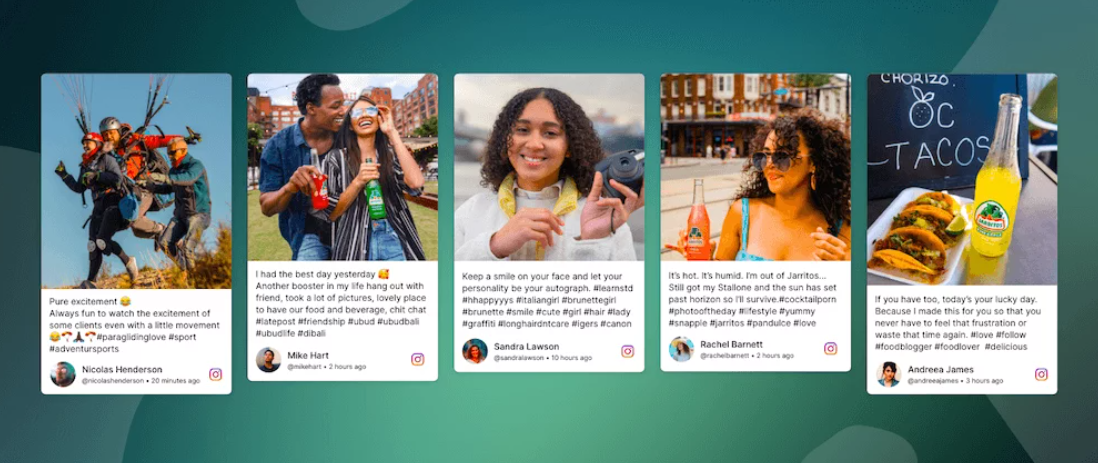
User-generated content is any content that users, such as your followers or customers, create and share about your brand, product, or service. This could include anything from a customer posting a photo using your product to a video testimonial about their experience. UGC can take many forms, but what makes it so valuable is that it’s created by people who are not directly affiliated with your brand, which gives it an authenticity that branded content often lacks.
On Instagram, UGC can be an extremely effective way to build trust, boost engagement, and connect with your audience in a meaningful way. Here’s why UGC matters:
- Authenticity and Trust: Consumers are more likely to trust content created by their peers than by brands themselves. UGC gives your brand a more human, relatable face.
- Social Proof: When potential customers see others enjoying your product or service, it validates their decision to buy, often acting as a form of “word of mouth” in the digital world.
- Increased Engagement: UGC often performs better than brand-created content in terms of engagement because it feels more genuine and relatable.
- Cost-Effective Marketing: Instead of creating content yourself, UGC allows you to repurpose content already made by your audience, saving you time and money.
- Building a Community: Featuring UGC on your Instagram profile shows your followers that you value their opinions and experiences, which can foster a stronger sense of community.
How to Collect UGC on Instagram
Now that you understand why UGC is so valuable, let’s explore how to collect it in the most effective way. There are several strategies you can use to encourage your followers to create and share content:
1. Run a Hashtag Campaign:
Create a unique branded hashtag that encourages your followers to post content related to your product or service. Make sure the hashtag is easy to remember, catchy, and directly related to your brand.
Example: Coca-Cola’s “#ShareACoke” campaign encouraged people to share photos of themselves with personalized Coke bottles, leading to millions of user-generated posts.
2. Host Contests and Giveaways:
Hosting a contest or giveaway that requires users to share their own content on Instagram is a great way to generate UGC. Make sure the prize is enticing enough for people to participate, and give clear instructions on how to enter.
Example: A fashion brand might ask users to post photos wearing their clothes with a specific hashtag, offering a chance to win a free item from the collection.
3. Engage with Your Community:
Interact with your followers and engage with their posts. When your audience feels like you are actively paying attention, they’re more likely to share content related to your brand. Simple gestures like liking, commenting, or sharing posts can go a long way.
4. Ask for Reviews or Testimonials:
Request your customers to share their experiences with your product or service. You can do this by either asking directly on your Instagram stories or reaching out to satisfied customers via DMs or email.
5. Feature User Content Regularly:
When your customers see that you’re showcasing their content, they’ll be more inclined to create and share more posts. Creating a regular feature, like a “Customer of the Week” or “Fan Friday,” can help build a consistent flow of UGC.
Best Practices for Using UGC on Instagram
Once you’ve gathered user-generated content, it’s essential to use it strategically on your Instagram profile. Here are some best practices to ensure you’re using UGC to its full potential:
- Always Get Permission: Before reposting someone else’s content, make sure you ask for permission. This is both courteous and legally important. You can simply send a direct message or comment on their post asking if you can share it on your profile.
- Tag the Creator: When you feature UGC, always credit the original creator. Tag them in the post and, if possible, mention their handle in the caption. This gives credit where it’s due and helps foster goodwill with your followers.
- Maintain a Consistent Aesthetic: While UGC is created by your audience, you should still ensure it aligns with your brand’s aesthetic. Select content that fits with your overall Instagram theme and style. If necessary, apply filters or edits to maintain visual consistency.
- Use UGC to Showcase Product Benefits: UGC can be an excellent way to highlight the real-world use of your products. Feature how your products solve a problem or add value to your customers’ lives. For instance, if you sell fitness gear, show how your customers are using your products in their workout routines.
- Tell a Story: Don’t just post UGC for the sake of it. Use captions that tell a story, whether it’s the customer’s experience or how your product fits into their lifestyle. Storytelling adds context to the content, making it more engaging and relatable.
- Incorporate UGC into Instagram Ads: Don’t just use UGC on your organic Instagram feed — include it in your paid ads too. Ads with real customers often perform better because they feel more relatable and authentic than standard promotional content. You can also hire SEO firms to help you run these paid Instagram ads, which can boost your conversion rates.
- Repost to Instagram Stories: UGC doesn’t always need to be posted directly to your feed. Instagram Stories are a great way to showcase UGC in a more casual and ephemeral manner. Stories also allow for interactive features like polls, quizzes, and links, which can drive engagement even further.
Measuring the Impact of UGC on Instagram
It’s important to track how well UGC is performing on your Instagram profile. Here are a few metrics to measure the success of your UGC efforts:
- Engagement Rate: Track likes, comments, shares, and saves on UGC posts. Compare these metrics to your regular branded posts to see if UGC is driving more engagement.
- Conversion Rate: If you’re using UGC in ads or Instagram Stories, measure how many followers are clicking through to your website or making a purchase after viewing the content.
- Brand Sentiment: Monitor how your audience is reacting to UGC. Are they positively interacting with the content? Are people more likely to comment, tag friends, or share the posts?
- Follower Growth: When people see UGC being featured on your account, it encourages more people to follow you, knowing they might get a chance to be featured too.
Conclusion
User-generated content is one of the most powerful tools businesses can use to build authentic connections with their audience on Instagram. By encouraging your customers to share their experiences, featuring their content, and strategically leveraging UGC, you can strengthen your brand’s trustworthiness, foster a sense of community, and ultimately drive sales. Remember to always credit your creators, maintain a consistent aesthetic, and measure your results to optimize your UGC strategy. In doing so, you’ll be well on your way to creating a dynamic, engaging, and successful Instagram presence that resonates with your audience.