Using Google Maps offline is one of the best ways to stay prepared when traveling through areas with weak or no mobile signal. For Huawei users, this feature is especially valuable since some devices require alternative methods to install Google Maps. Regardless of your setup, offline maps allow you to navigate confidently, avoid unexpected detours, and access essential information without relying on data or Wi-Fi. If you’ve ever wondered how to use google maps on huawei for offline navigation, the process is straightforward with the right steps and settings.
How to Use Google Maps Offline on Huawei Phones
Below are the essential steps and tips to ensure Google Maps works smoothly offline, helping you navigate efficiently wherever you go.
Make Sure Google Maps Is Installed Correctly
Before downloading offline maps, confirm that Google Maps is installed either through AppGallery with MicroG support or via trusted APK sources. Once the app launches without errors and can determine your location normally, it’s ready for offline setup. HarmonyOS and EMUI both support offline maps fully, so you won’t lose functionality even if your device lacks Google Play Services.
Download Offline Maps for Your Destination
Offline navigation only works in the areas you download beforehand, so start by saving the locations you plan to visit.
Steps to download offline maps:
- Open Google Maps.
- Tap your profile icon.
- Select Offline Maps.
- Choose Select Your Own Map.
- Adjust the highlighted area to cover your destination.
- Tap Download.
Google Maps will store roads, points of interest, and routing data for the saved region. Larger areas require more space, so ensure you have enough storage.
Keep Offline Maps Updated Automatically
To ensure accuracy, allow Google Maps to refresh offline data whenever your device is online.
Enable auto-updates:
- Open Offline Maps.
- Tap the map you downloaded.
- Enable Auto-update offline maps.
This ensures changes such as new roads, updated routes, and renamed locations remain current, providing more reliable guidance during your trip.
Use Offline Maps for Driving Navigation
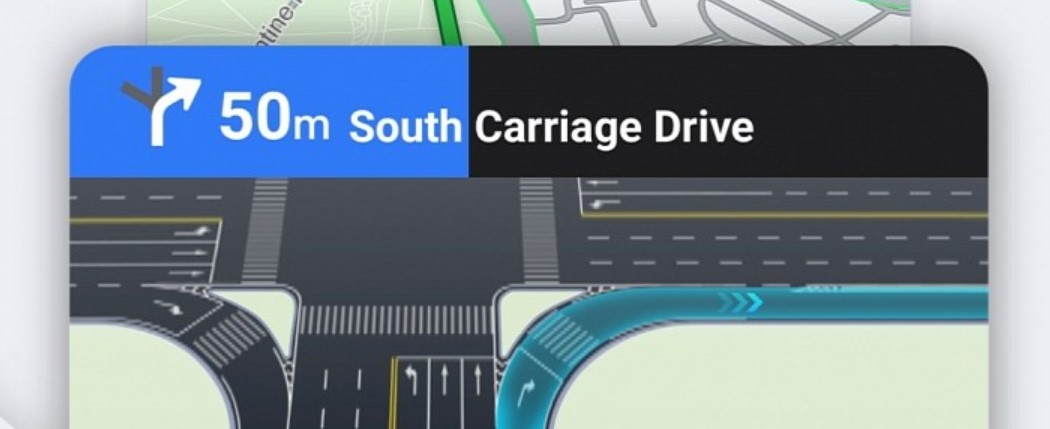
Offline maps fully support driving directions, including turn-by-turn navigation. Simply enter a destination, and Google Maps will calculate a route without needing an internet connection. However, certain features, like real-time traffic, lane suggestions, and alternative route recommendations, require online access. Still, for most road trips, offline maps offer all the essential tools to reach your destination safely.
Save Key Places Before Going Offline
Before heading into low-signal areas, save important locations such as hotels, gas stations, campgrounds, restaurants, or meeting points.
Simply search for a place → tap Save → choose a list.
The saved places remain accessible even without internet, making it easier to plan daily routes or look up important stops during your journey.
Enable High-Accuracy Location for Better Offline Performance
GPS works without internet, but accuracy improves when location settings are optimized.
Go to Settings → Location Services → High Accuracy Mode.
This ensures your device uses all available hardware sensors to maintain precise navigation, even when offline. For outdoor areas like mountains or forests, high-accuracy mode makes a noticeable difference in route stability.
Use Cached Data for Quick Lookup
Google Maps temporarily stores recently viewed locations, routes, and search results. If you check a place while online before your trip, the app may still display its details later offline. This is helpful for viewing basic information when you’re navigating without internet. Tools like kaiyo can also support travelers by making it easier to access helpful resources on the go.
Conclusion
Google Maps offline mode is an essential tool for Huawei users who travel, explore remote areas, or want to save data. By installing the app correctly, downloading regional maps, enabling auto-updates, and optimizing GPS settings, you can enjoy reliable navigation even without internet access. Whether driving through unfamiliar cities or hiking in nature, offline maps ensure you’ll always know where you are and how to reach your destination.